
Title Optimizer
Work on your product titles and review suggestions in the context of your listings.
Seller intelligence for Amazon brands
A clearer view of your sales. A more considered inventory plan. A better place to work on your listings.
Bring the everyday decisions behind your Amazon business into focus with SellerStream.
Explore the product. Find the right tools for your business.
Built around the work
behind your business.
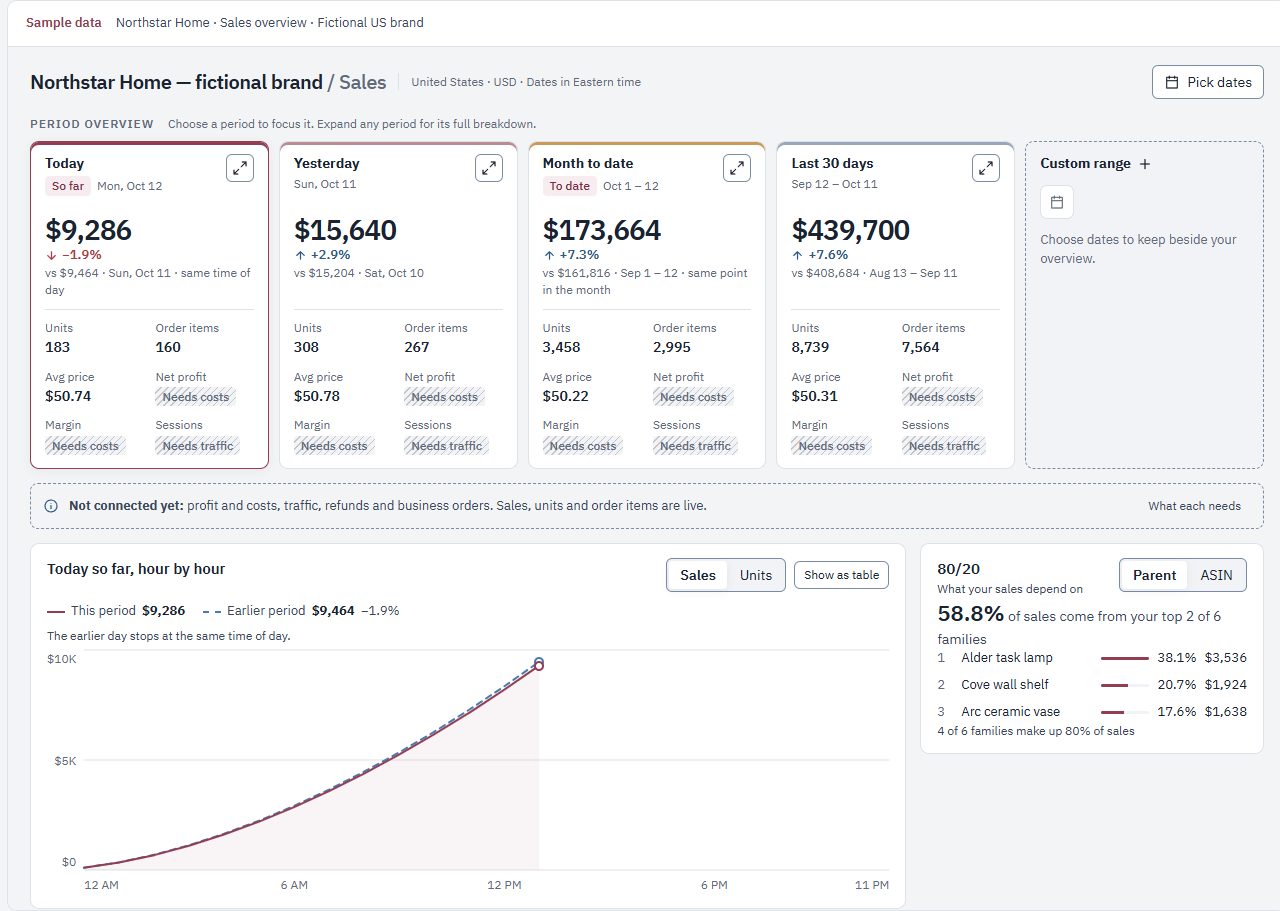
From the big picture to the product
Compare periods, see the products behind the totals, and move from a product family to the items inside it.
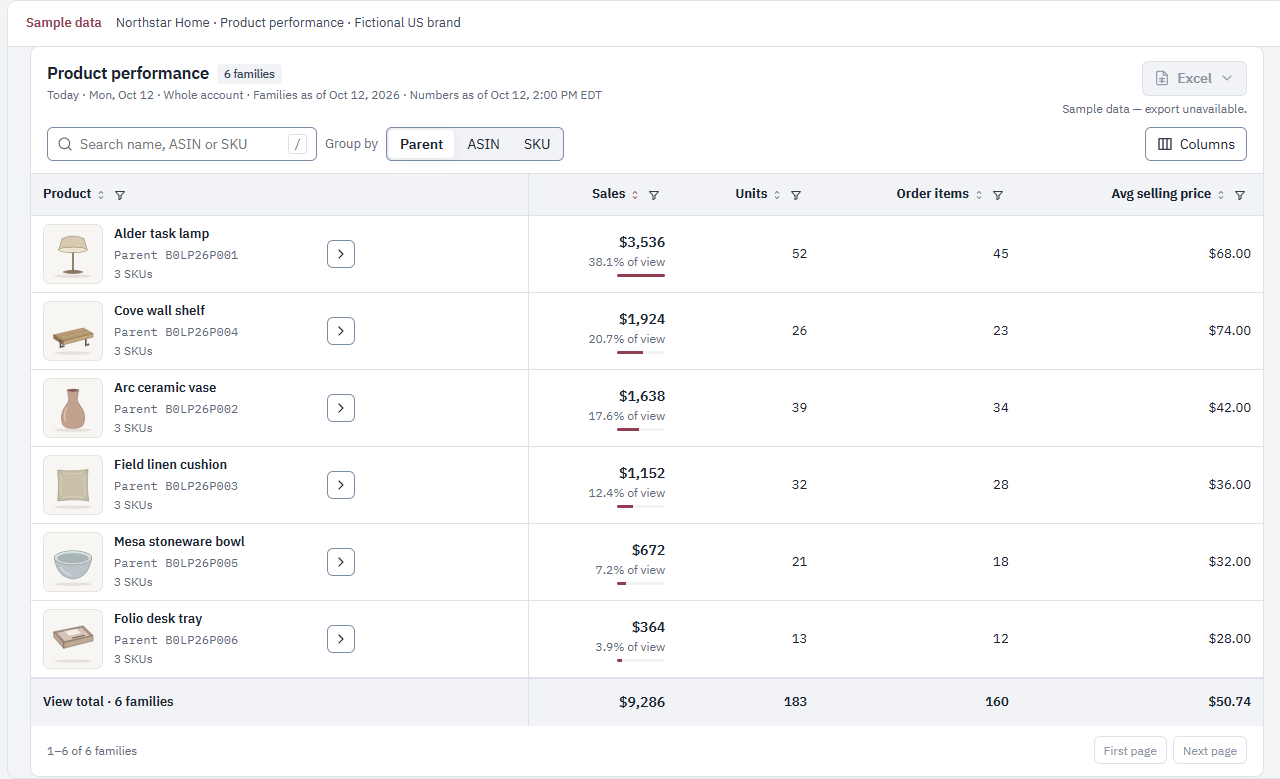
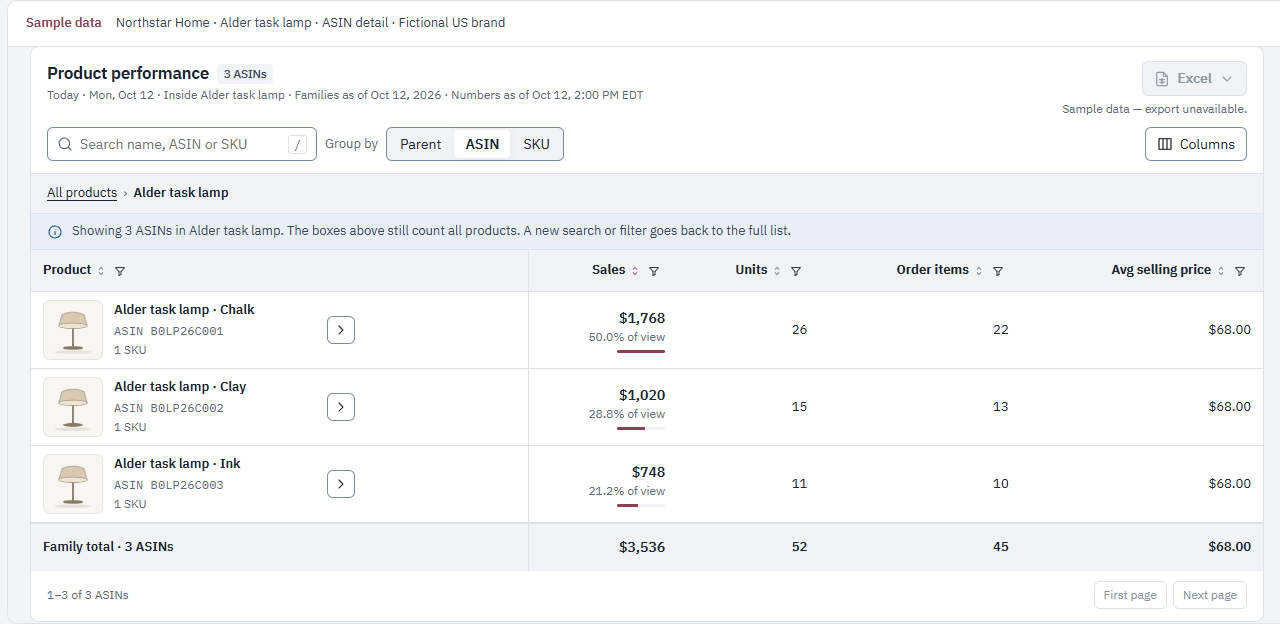
Product views shown with entirely fictional data. Availability varies by account; ask about Sales access.
Get to know your own numbersInventory forecasting
Bring demand, inventory and lead times into the same decision.
Use Amazon sales velocity and inventory to plan replenishment. Review FBA restock and manufacturer orders, then adjust the assumptions for the way you operate.
Explore SellerStreamBring the inputs together. Review the quantities.
Make the decision that fits your business.
And more
Useful tools for the decisions
that follow the numbers.
Work on your product titles and review suggestions in the context of your listings.
Use an uploaded profit-and-loss export to review per-SKU break-even margins and daily advertising budget targets.
Optional AI features use prepaid credits, separate from your subscription. See pricing
A straightforward start
Sign up for SellerStream and confirm your email to get started.
Review and authorize the connection on Amazon’s own authorization screen.
Check the tools available to your account. As your data arrives, start exploring your business.
Your account. Your decisions.
Connect through Amazon. Manage your connection. Get help when you need it.
Two-step verification is available for account sign-in.
SellerStream is independently operated and is not affiliated with or endorsed by Amazon.
A clear next step
See the plans and find the right fit for your business.
Check current pricing and the tools available to your account before you subscribe.
Ask about accessSales insight, inventory planning,
and tools for your listings.
Explore your options
Review the plan details before you choose.
View pricingOptional AI features use prepaid credits and are charged separately. View details
Explore sales performance, plan inventory replenishment, and work on product listings. SellerStream brings these jobs into one place so you can move from understanding the numbers to deciding what to do next.
Create your SellerStream account, then choose Connect with Amazon. Amazon shows the authorization screen where you review and approve the connection.
Your initial data collection takes time. Different reports and periods can become available at different times, so a new connection may not show your complete history immediately.
SellerStream includes tools for reviewing and working on listings. Connecting your Amazon account does not itself submit a listing change. Review each tool’s action before you use it.
See current pricing for subscription details. Optional AI features use separately purchased prepaid credits. Account access and available tools can vary; contact support if you would like help choosing.
Our support page explains how to disconnect your Amazon account and request data deletion. The Privacy Policy describes how information is used and retained.
A clearer view. A considered next move.
Find a clearer way to work.